Ways to Save and Control Costs on AWS (A Practical Guide)
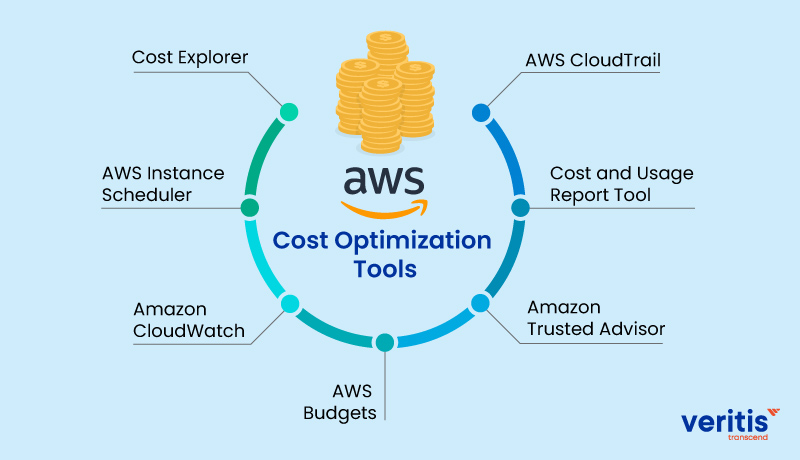
Cloud gives you speed and scalability but without discipline, it can quietly drain your budget. Amazon Web Services provides powerful pricing models and optimization tools, but the real savings come from how you use them.
This article walks through practical, battle-tested ways to control AWS costs, from compute and storage to networking and billing.
Understanding Pricing Before Optimizing
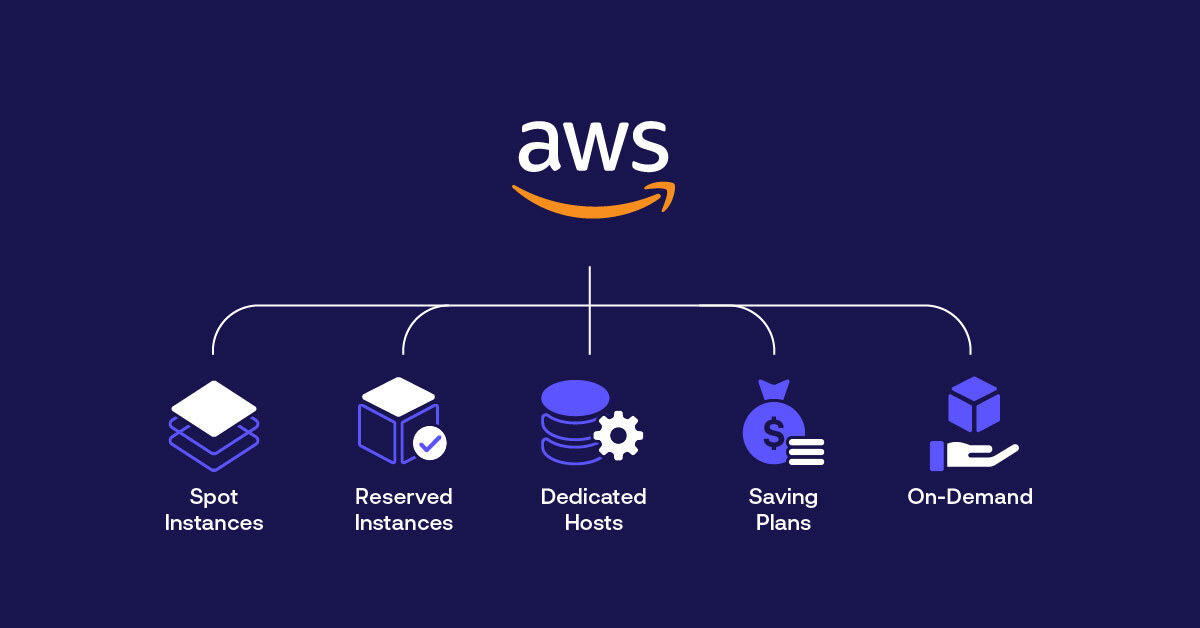
One of the most common mistakes teams make is choosing a single pricing model for everything. AWS offers multiple pricing options because different workloads behave differently.
On-Demand pricing is often misunderstood as “expensive,” but for unpredictable or short-lived workloads, it can actually be the most cost-effective option. Pay-per-request services and temporary environments benefit from On-Demand because you only pay for what you use, without long-term commitments.
However, for workloads that are fault-tolerant or flexible in execution time, Spot Instances can unlock massive savings—sometimes up to 90%. Spot capacity works best for batch processing, CI/CD pipelines, background jobs, and stateless services. AWS has introduced rebalancing signals that may provide early warnings before Spot termination, but interruptions are still possible. Because of this, Spot should always be paired with resilient application design.
For predictable, steady usage, Savings Plans offer the best balance between flexibility and cost reduction. By committing to a certain amount of usage in USD per hour for one or three years, teams can significantly reduce costs across EC2, Lambda, and Fargate without being locked into specific instance types.
Smarter Compute and Scaling Decisions
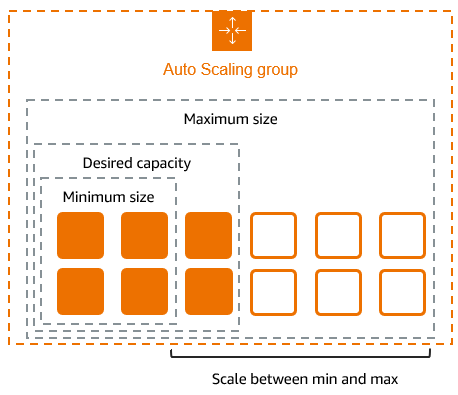
Autoscaling is powerful but when misconfigured, it becomes one of the biggest cost drivers. Scaling too aggressively during traffic spikes often leads to unused capacity that continues running long after demand has dropped.
A more effective approach is to scale up conservatively, adding instances gradually while monitoring performance metrics. When traffic decreases, scaling down should aim to reach the minimum capacity required to safely handle the current load. This ensures availability without paying for excess compute.
Another highly overlooked optimization is scheduling. Development, staging, and test environments rarely need to run 24/7. By automatically stopping unused instances outside working hours, teams can cut a large portion of compute costs without affecting production systems.
Storage Optimization: Where Hidden Costs Live
Storage costs often grow quietly over time, especially when cleanup processes are missing. Unattached EBS volumes are a common example. Even when a volume is no longer attached to an instance, AWS continues charging for it. Identifying volumes marked as “available” and removing them regularly can lead to immediate savings. Many teams automate this cleanup using monitoring tools or Lambda functions.
Enabling Delete on Termination for EBS volumes is another simple but powerful practice. For auto-scaled or temporary instances, this prevents forgotten volumes from accumulating over time.
Snapshots deserve special attention as well. Snapshots those no longer associated with active volumes can grow into a significant cost. Regular audits or automated cleanup policies help prevent this silent drain.
For object storage, Amazon S3 offers multiple storage tiers designed for different access patterns. Data that is rarely accessed should not sit in standard storage. By using lifecycle policies to move infrequently accessed data to lower-cost tiers like Intelligent-Tiering or Glacier, teams reduce storage costs without losing accessibility.

Containers and Databases: Optimize the Long Runners
Containerized workloads, especially on ECS or EKS, benefit greatly from a mixed pricing strategy. Running baseline workloads on Reserved Capacity or Savings Plans while placing stateless services on Spot Instances creates a balance between stability and cost efficiency.
Databases are another area where long-term commitments pay off. If services like RDS, Redshift, ElastiCache, or OpenSearch run continuously, Reserved pricing can drastically reduce monthly expenses. Many organizations overlook this and continue paying On-Demand rates.
Network and Data Transfer Costs Matter More Than You Think
Data transfer is one of the most misunderstood parts of AWS billing. Cross-region traffic, public internet egress, and unnecessary service chatter can inflate costs rapidly.
Keeping dependent services within the same region minimizes inter-region data transfer charges. Additionally, reducing unnecessary outbound traffic through response compression, caching, and efficient API design helps control one of AWS’s most expensive cost categories.
For applications serving large volumes of public traffic, using CloudFront can significantly reduce bandwidth costs. By serving content from edge locations, CloudFront reduces the amount of data transferred from origin servers while also improving user latency.
Idle load balancers are another common cost leak. Load balancers with little or no traffic still incur charges, so periodically reviewing and removing unused ones is essential.
Using VPC endpoints for services like S3 is another often-missed optimization. Accessing S3 privately through VPC endpoints avoids NAT Gateway charges, improves security, and reduces data transfer costs.
For organizations with heavy on-premises to cloud traffic, AWS Direct Connect can offer more predictable and sometimes cheaper pricing compared to standard internet routing.

Cost Visibility, Billing, and Accountability
Cost optimization doesn’t work without visibility. AWS pricing varies by region, so choosing the right region for each workload especially non-latency sensitive ones can result in meaningful savings.
Billing groups and cost allocation tags allow teams to break down costs by department, project, or business unit. With Cost and Usage Reports, organizations can perform accurate margin analysis and understand exactly where optimization efforts are paying off.
While native tools are powerful, third-party platforms like nOps can provide deeper insights into data transfer costs, detect anomalies early, and recommend automated optimizations helping teams stay proactive instead of reactive.
When Multi-Cloud or Hybrid Makes Sense
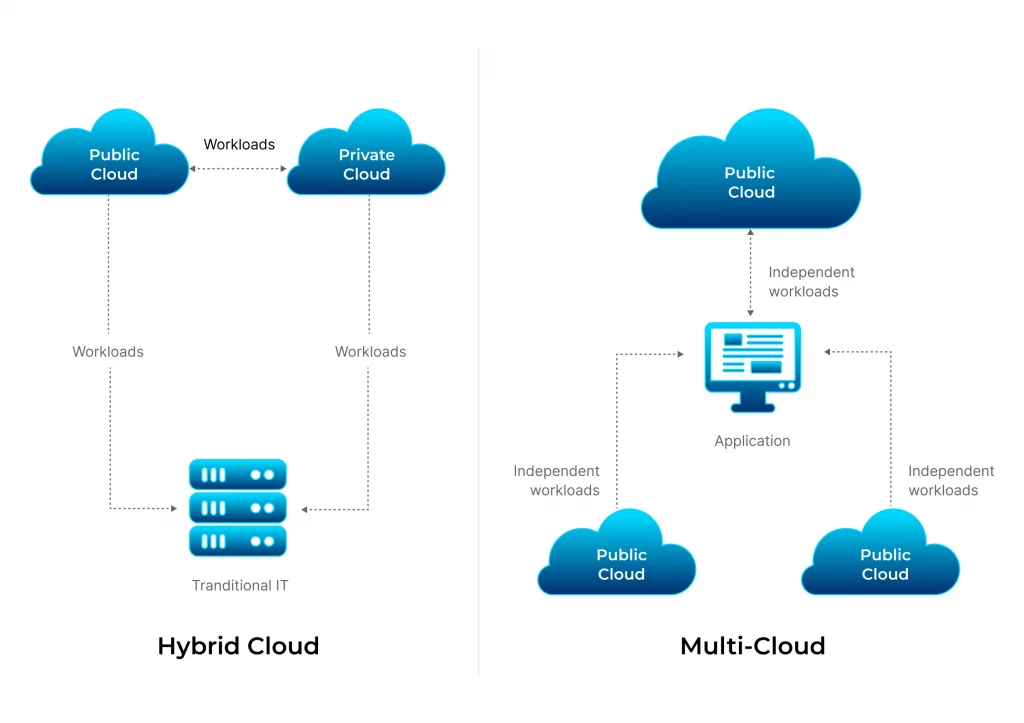
Multi-cloud or hybrid strategies are not mandatory for everyone, but in certain cases, they can help reduce vendor lock-in and allow teams to choose the most cost-effective platform for specific workloads. For larger organizations, this flexibility can translate into long-term cost control.
Final Thoughts
AWS costs rise gradually through small inefficiencies unused volumes, idle resources, over-scaling, and unmonitored data transfer. The key is to treat cost as an architectural concern, not an afterthought.
When pricing models are chosen wisely, resources are cleaned up regularly, scaling is controlled, and monitoring is continuous, AWS can scale your systems without scaling your bill.

